Documentation
How every part of PolyCopy works, section by section.
Getting started
PolyCopy is a desktop app that mirrors a chosen Polymarket wallet's trades into your own account. The engine runs entirely on your computer with your own Polymarket account, so your keys, funds, and trades never leave your machine.
- Create a free account here, then open Download and install the desktop app.
- Launch it and sign in with the same account. The app fetches your plan and unlocks features to match.
- Start in paper mode (simulated, no real money) to test a wallet before you ever risk a cent.
The dashboard
Your home screen. The top cards summarise the active account, and the mode toggle switches between simulated and real trading.
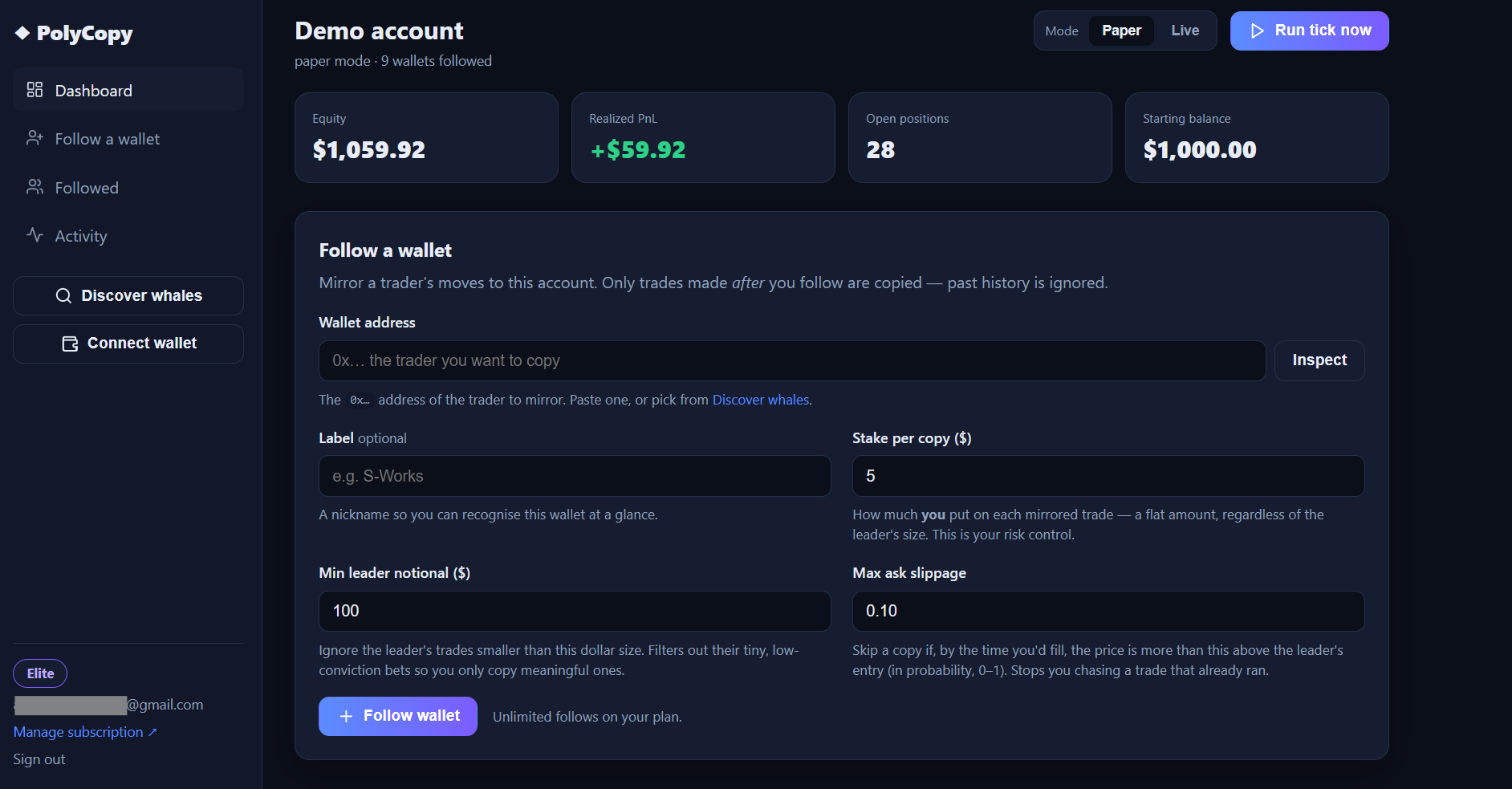
| Equity | Current account value. In paper mode this is your starting balance plus realized PnL; in live mode it reflects your real Polymarket wallet. |
|---|---|
| Realized PnL | Net profit or loss from positions that have closed or resolved. |
| Open positions | How many copied positions are currently live (resolved or awaiting claim are not counted). |
| Starting balance | The paper bankroll the account began with. Editable in account settings. |
| Mode (Paper / Live) | Paper simulates fills with no real money. Live places real on-chain orders (Pro and Elite only). |
| Run tick now | Manually runs one engine cycle so you don't have to wait for the next automatic check. |
Follow a wallet
Point the engine at a trader to mirror. Only trades made after you follow are copied; their past history is ignored. Each setting below is your risk control.
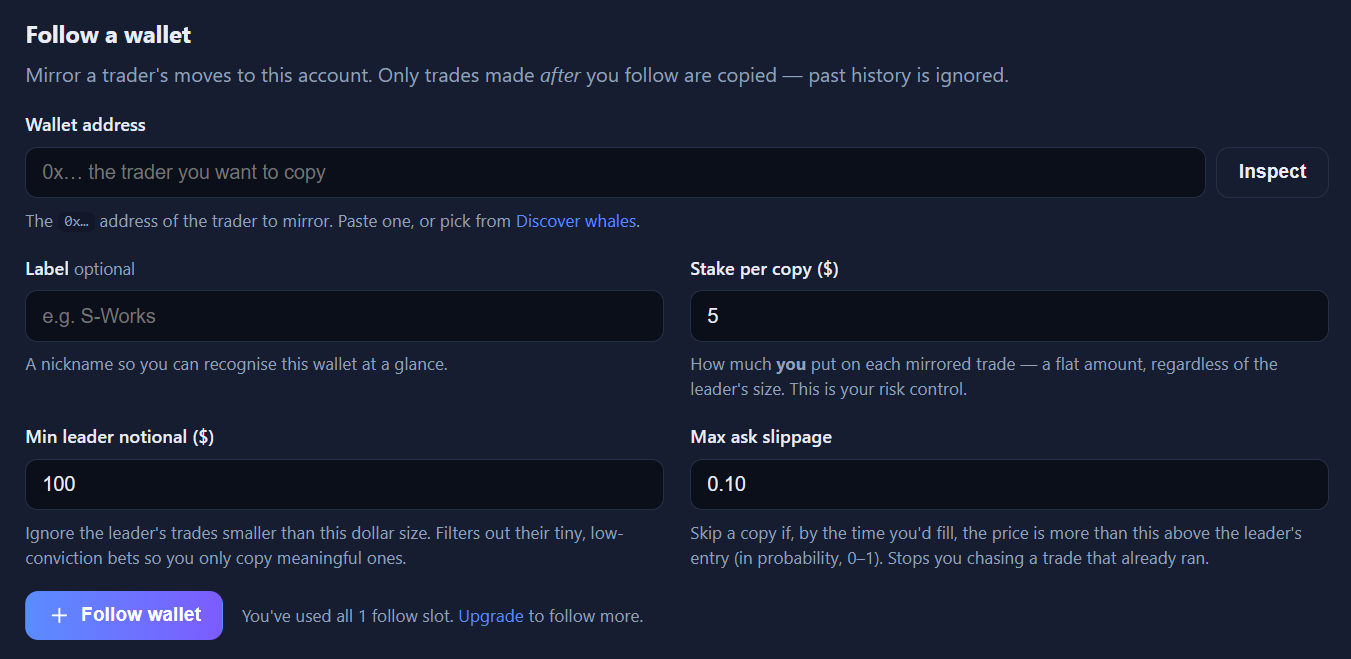
| Wallet address | The 0x… address of the trader you want to copy.
Paste one, or pick a wallet from Discover whales. |
|---|---|
| Label (optional) | A nickname so you can recognise the wallet at a glance. |
| Stake per copy ($) | How much you put on each mirrored trade, a flat amount regardless of the leader's size. This is your main risk control. |
| Min leader notional ($) | Ignore the leader's trades smaller than this dollar size. Filters out their tiny, low-conviction bets so you only copy meaningful ones. |
| Max ask slippage | Skip a copy if, by the time you would fill, the price has moved more than this above the leader's entry (in probability, 0 to 1). Stops you chasing a trade that already ran. |
Your followed wallets
Each wallet you follow gets a card showing its live copy performance. This is where the core idea lives: you see the leader's edge at their price next to your edge after the copy lag, so you can tell whether the wallet is genuinely copyable or just looks good on paper.
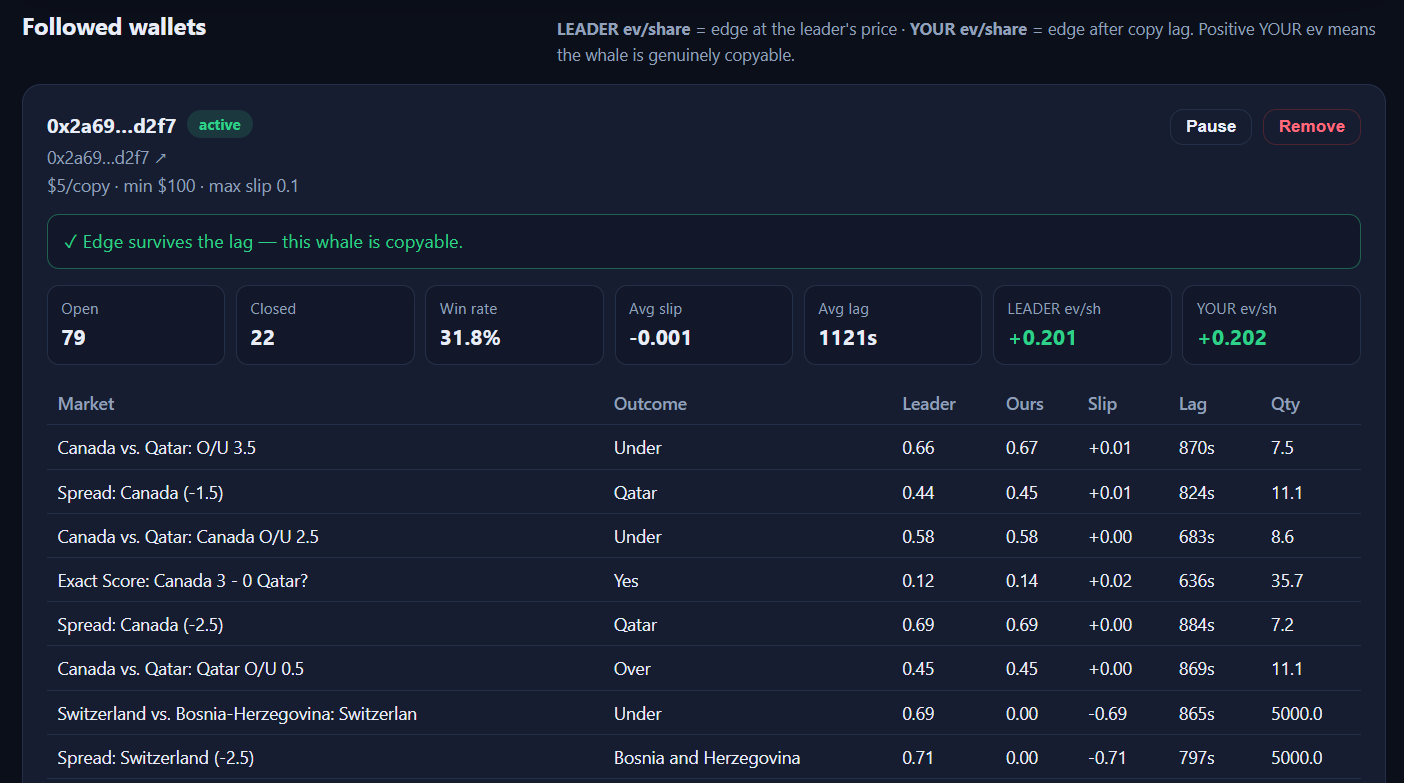
- LEADER edge vs YOUR edge. Positive your-edge after the lag means the advantage survives your fill. If only the leader's edge is positive, the alpha is gone by the time you get in.
- Open positions. Every live copied position with its entry price and the leader's price.
- Pause, edit, or remove. Stop copying without deleting history, change the stake or filters, or drop the wallet entirely.
Activity
A chronological log of everything the engine did: copies opened, positions resolved, leader sells you mirrored, and copies skipped because the price had already moved past your slippage limit. It is the audit trail for why each trade did or did not happen.

Discover whales
Find wallets worth following, ranked honestly. Instead of raw profit (which rewards luck), the rankings score copyability and gate out wallets with too small a resolved sample, so a lucky two-bet trader can't top the list. What you see depends on your plan.
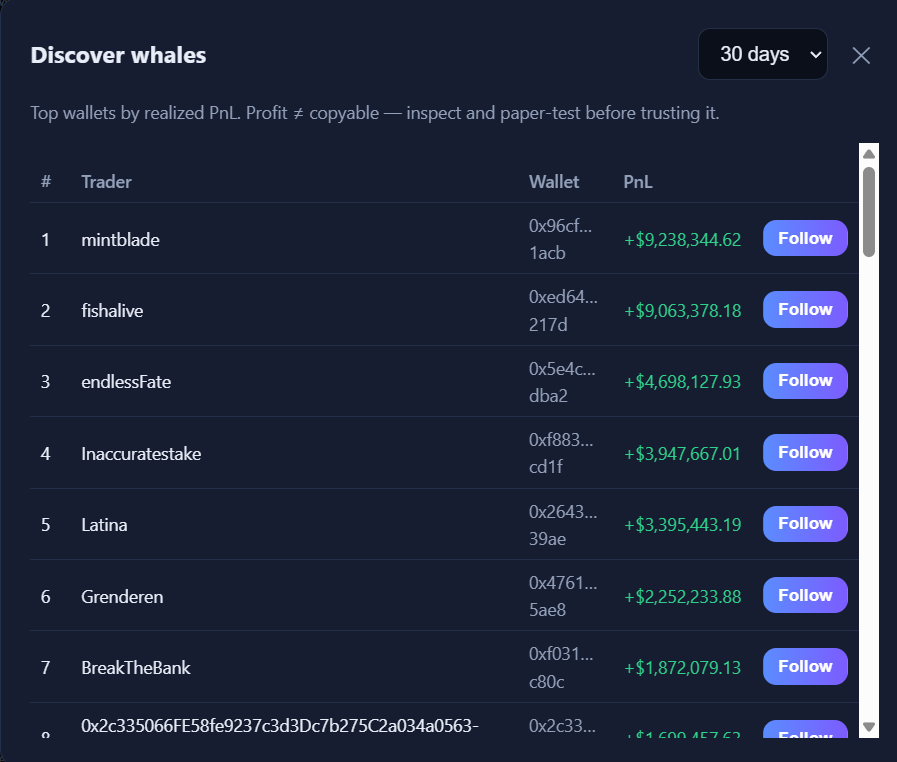
| Free | A 10-row teaser of the leaderboard (name and PnL). |
|---|---|
| Pro | The full leaderboard with win rate and resolved-bet counts. |
| Elite | Adds the copyability score, ROI, market specialization, a confidence label, and filtering by category, sample size, and sort. |
| Score | Copyability, 0 to 100: the per-share edge a flat-stake copier keeps, scaled by how large the resolved sample is. It is a ranking aid, not a profit guarantee. |
|---|---|
| ROI | Realized return on the wallet's resolved bets (held to resolution). |
| Focus | The market category the wallet concentrates in (for example MLB, Soccer, Politics) and how much of its activity it represents. |
| Confidence | Low, medium, or high, based on the number of resolved bets behind the score. |
Live trading
Available on Pro and Elite. Live mode places real on-chain orders on Polymarket using your own wallet. It is off by default; you set it up once inside the app and explicitly turn it on. PolyCopy never sends your private key anywhere: it is encrypted and stored only on your machine.
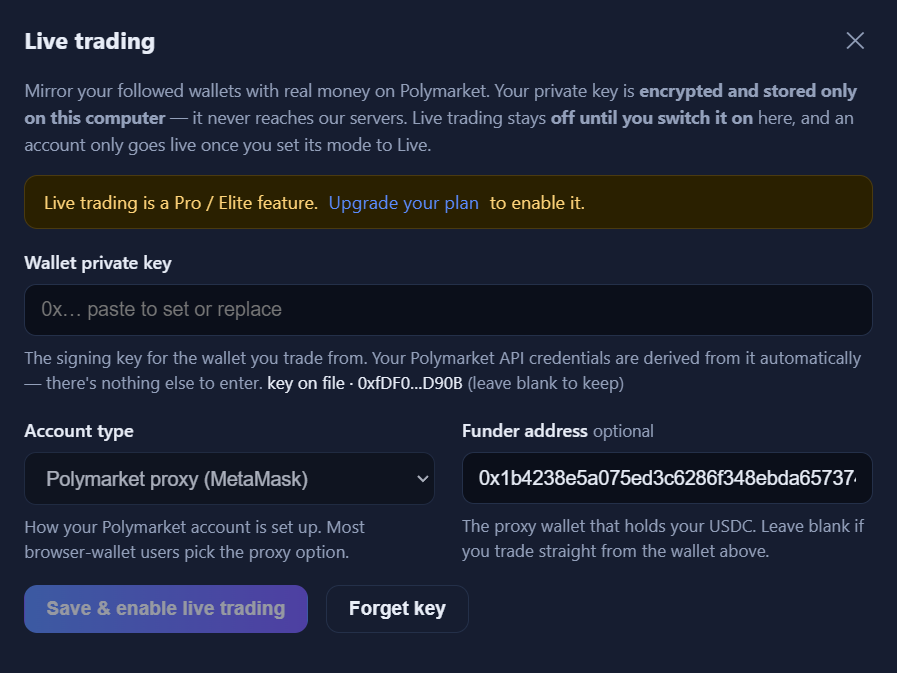
| Private key | The key for the wallet that signs your orders. Stored encrypted on your device and never transmitted. |
|---|---|
| Account type | The Polymarket signature type for your setup (browser wallet, email/Magic, or a plain EOA). |
| Funder (proxy) wallet | Your Polymarket proxy address, where your USDC is deposited. Balances and positions are read from this wallet. |
| Save and enable | Validates the key, saves it locally, and switches the account to live mode. |
Before live orders fill, your Polymarket proxy must have the standard USDC trading allowances set (the same one-time approvals Polymarket itself requires).
Account & subscription
Plans are paid in USDC on Polygon, sent straight to our wallet. There is no card and no processor: you connect a wallet on the pricing page, sign a free message to prove ownership, and send the payment. We read the public blockchain to confirm it and unlock your plan, usually within about 30 seconds.
- Manual renewal. Each payment unlocks your plan for 30 days. Crypto payments do not auto-renew, so you pay again to extend. The account page shows the expiry date and a Renew button.
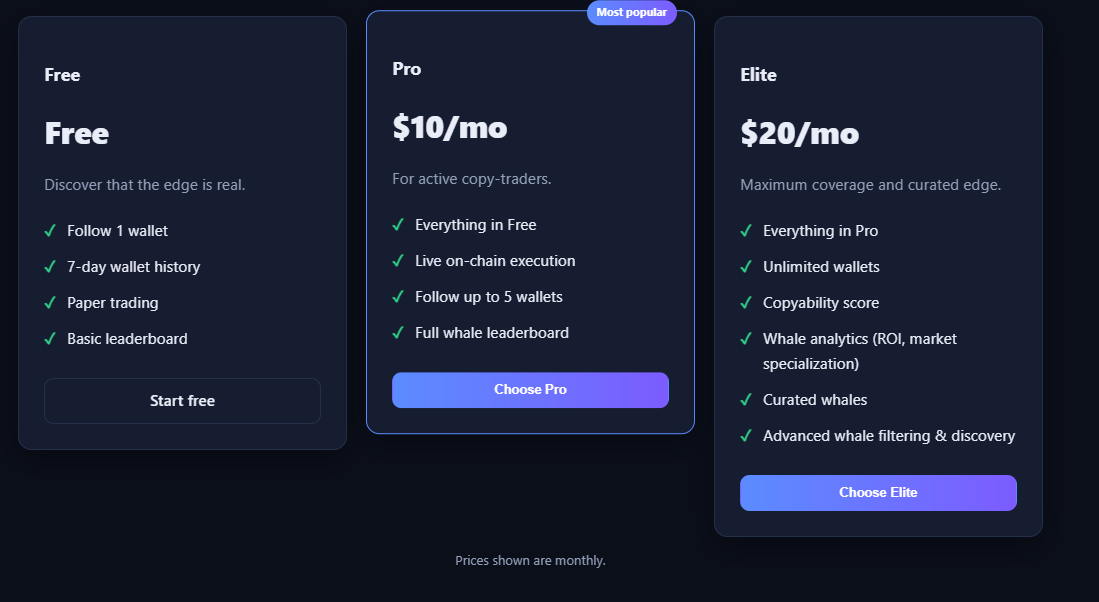
- Plan tiers. Free (1 wallet, paper, 7-day history), Pro (5 wallets, live execution, full leaderboard), Elite (unlimited wallets, copyability score, whale analytics, curated wallets).
- Syncing. After you pay, the desktop app picks up your new plan automatically the next time it syncs, or immediately when you click the plan chip.